
CD Art Printing: A Guide to Flawless Album Design
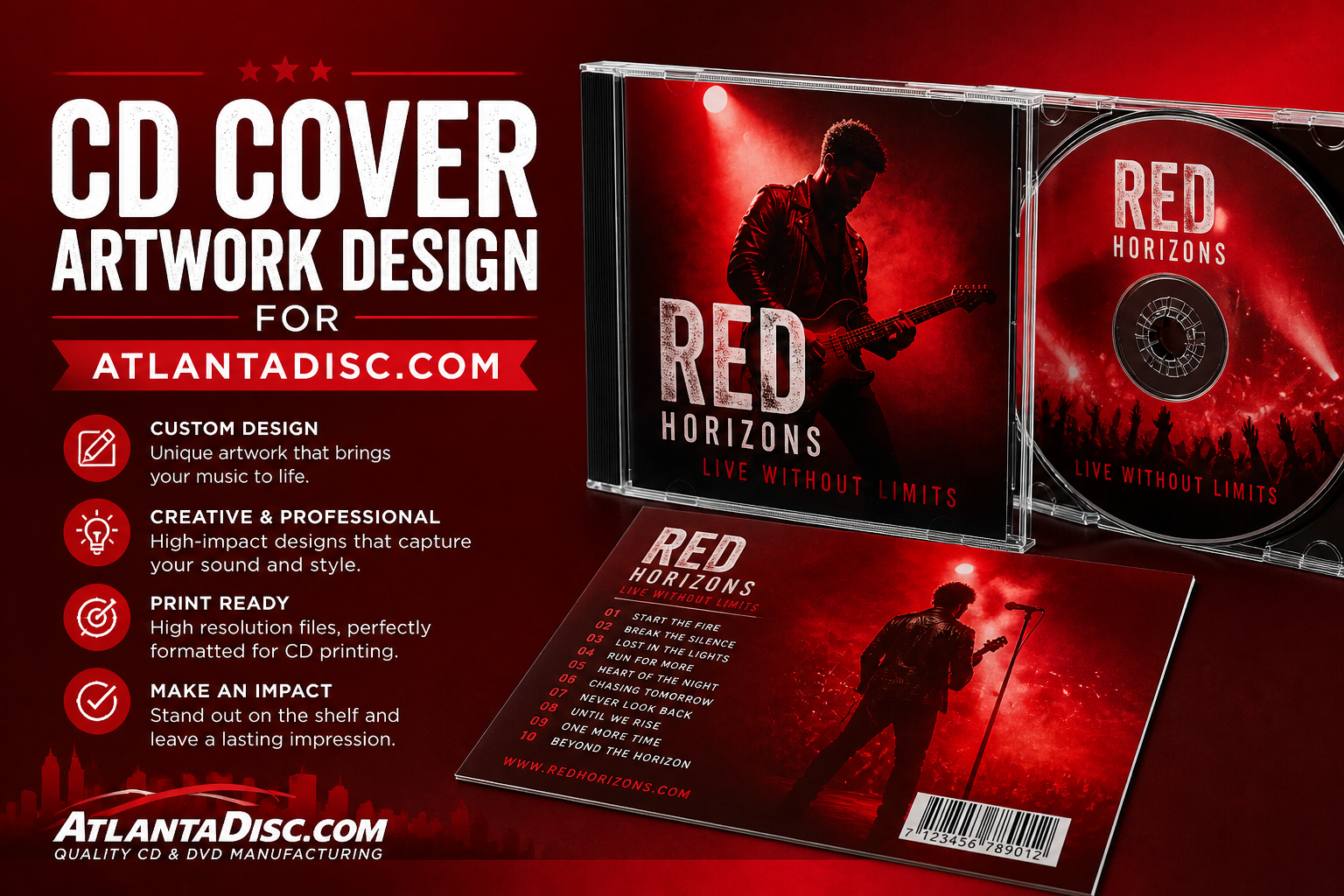
You’ve finished the songs. The mixes are approved, the master is done, and now the project has to become a real object that people can hold after a show, sell from a merch table, or hand to a radio programmer, church member, or collaborator. That’s the point where a lot of indie artists hit the same wall. The music is ready, but the artwork files aren’t.
Most cd art printing problems don’t start on press. They start in the design file. A cover built for social media gets stretched into a tray card. A disc face uses rich blacks that are too heavy to print cleanly. Tiny type looks crisp on a laptop and then disappears on the final disc. None of that is unusual. It’s what happens when good music meets vague print advice.
The fix is simple. Build your artwork for production, not just for approval on screen. If you do that, short-run CDs can look polished without turning into a cycle of rejected files, avoidable proof changes, and rushed reprints.
Your Music Deserves Great Packaging
A physical CD plays a different role now than it did at peak retail. It’s no longer the default way most listeners discover music. It’s the format fans buy from you because they want something tangible, signed, collectible, and easy to take home.

That matters more than a lot of artists think. U.S. CD album sales peaked in 2000 and later fell 95%, which is exactly why CDs now work as a niche merch format instead of a mass-market default, according to Statista’s chart on U.S. CD sales. For an indie artist, that shift isn’t bad news. It means a CD has to earn its place through presentation, usefulness, and identity.
Why the disc still works
At a merch table, a CD does three jobs at once:
- It gives fans a physical memory: A stream disappears into a phone. A printed CD gets signed, shelved, gifted, and revisited.
- It makes the release feel finished: People judge care by details. Disc printing, cover design, and packaging tell them whether this project was treated seriously.
- It creates a direct-sale item: A fan doesn’t need to subscribe to anything to support you. They can buy the release outright.
A well-printed disc turns your album from content into an object.
That’s especially true for short runs. If you’re pressing a smaller batch for tour dates, church distribution, local retail, or a release event, every copy has to feel intentional. Cheap-looking print work undercuts good music fast.
What artists usually get wrong
The common mistake is treating packaging like an afterthought. The front cover gets attention, but the disc face, spine, inside panel, tray card, and insert get rushed. Then the whole package feels inconsistent.
I’ve seen artists spend months refining mixes and then submit artwork with mismatched fonts, low-resolution photos, and text jammed against trim lines. The music may be excellent, but the packaging tells a different story.
Good cd art printing fixes that disconnect. It gives your release a physical home that matches the work you put into the recording. When the files are built correctly from the start, production is straightforward, and the final product looks like it belongs on a table next to established releases, not like a last-minute handout.
Nailing the Technical Specs for Perfect Prints
A short-run CD job usually goes off course in one of two places. The art was built for Spotify and stretched into print, or the files looked fine on a laptop and failed the printer’s basic checks. Both mistakes cost money because small runs do not leave much room for reprints, rush fixes, or back-and-forth with prepress.

Start with the disc face, not just the cover
Indie artists often finish the square cover first and assume the disc, tray card, and booklet can be adapted later. That works until the center hole cuts through the main image or the title lands in the printable dead zone.
Build the disc face as a separate layout from the start. A CD has a hub, a non-printable area, and less usable space than the mockup suggests. Good disc art survives all three.
A disc face usually needs:
- A focal point that can lose the center: Faces, logos, and symbols need to stay readable after the middle drops out.
- Type placed for the actual print ring: Artist name, title, and legal copy need to sit where the plant can print cleanly.
- Stronger contrast than screen art: Soft tonal shifts and low-contrast details tend to lose strength on the disc surface.
Build to print specs, not screen habits
Production files need more discipline than social graphics. If you send artwork that was pieced together from web images, RGB screenshots, or flattened text, the job may pause while prepress asks for repairs.
Key Production’s artwork guide is a useful reference point here. It notes a maximum total ink coverage of 320% and recommends 600 ppi images at final size, with vector artwork preferred where possible. Those numbers matter most on dark fills, fine detail, and small-format pieces like the disc face.
Here is what that means in practice:
- Heavy CMYK blacks can cause problems: If the combined ink values run too high, dark backgrounds can print muddy or need correction before approval.
- Pale tints are risky: Light color builds that look intentional on screen can disappear or print unevenly.
- Tiny contrast shifts do not hold well: If the design depends on barely visible shadows or subtle gradients, expect weaker results on the finished disc.
If the difference only shows up at 200% zoom, treat it as fragile.
What to check before export
Use a preflight pass before you package the files. This is the step that saves short-run artists from paying for preventable fixes.
- Resolution
Keep raster images at 600 ppi at final print size. Upscaling a low-res press photo at the last minute only creates a larger soft image. - Color mode and ink build
Work in CMYK when preparing final print files, and keep the total ink coverage within spec. Rich black should be built intentionally, not by pushing every channel high. - Minimum visible values
Very light percentages can drop out, especially in fine details. If a tint looks barely visible on your monitor, do not trust it on the disc. - Tone range
Push for clear separation between light and dark areas. Disc printing rewards decisive contrast more than delicate shading. - File integrity
Check that linked images are embedded or packaged correctly, fonts are included or outlined where appropriate, and nothing is sitting outside the safe area by accident.
Vector artwork prevents a lot of expensive fixes
Use vector files for logos, line art, icons, and type-based graphics. They stay sharp, scale cleanly, and give prepress less to fix. Photoshop still has its place for photos, textures, and painted elements, but it should not carry small legal lines, thin rules, or intricate logo work if you can avoid it.
I see this on indie short runs all the time. The file is technically high resolution, but the logo came from an old PNG, the text was rasterized too early, and the black background is built heavier than the print spec allows. Nothing about that looks wrong until it reaches production.
Small type is where many CD files fail
Key Production also calls out minimum type sizes: 5 pt for standard text and 7 pt for reversed light text on a dark background. Treat those as minimums, not design targets.
CD packaging is handled under venue lighting, read in cars, and scanned quickly at merch tables. If your track list or copyright line only reads well on a bright monitor, it is too small. Go larger when the layout allows it, and leave extra space around thin letters so they do not fill in during print.
A simple rule works well here. Print the artwork at actual size on an office printer. If the text feels cramped there, it will not improve on press.
Choosing Your Packaging and Using Print Templates
You finish the album, approve the masters, and send over artwork that looked perfect on screen. Then production flags the package because the spine copy sits in a fold, the tray card is built to the wrong size, or the disc face no longer matches the package you ordered. That is a common short-run problem, and it gets expensive fast because small jobs have less room for preventable rework.
Packaging shapes how the release feels in a fan’s hands and how much print area you get for credits, lyrics, photography, and branding. It also changes your unit cost, shipping weight, and how much risk you take on with cracks, scuffs, and panel alignment. For indie artists pressing a short run, those trade-offs matter more than abstract design preferences.
CD label art moved from basic text treatments to full printed disc graphics over time, as shown in this visual history of CD label art. That history still shows up in current packaging choices. If your package exposes the disc through a clear tray or gives the disc a featured reveal, the on-disc print needs to carry its share of the visual identity.
Pick the package that fits the release
Start with how the CD will be sold.
| Packaging Type | Best For | Key Features | Considerations |
|---|---|---|---|
| Jewel Case | Full albums, retail-style presentation, projects with booklets | Classic plastic case, familiar format, room for tray card and inserts | Bulkier than paperboard options, can crack in shipping |
| Slim Case | Promo copies, simple singles, lightweight distribution | Smaller footprint, cleaner profile, good for minimal packages | Less space for inserts and visual storytelling |
| Digipak | Premium indie releases, concept records, branded merch tables | Printed board packaging, strong presentation, more panel space | Needs careful template setup because folds, spines, and panel crossover are less forgiving |
| Eco Jacket or Eco Wallet | Budget-conscious short runs, hand-to-hand sales, lightweight merch | Compact paperboard package, disc gets visual emphasis, modern feel | Less rigid than a jewel case, so slight alignment errors show more clearly |
A jewel case still works well for artists who need a booklet, full back tray layout, and a format buyers immediately recognize. The downside is practical. Cases crack in transit, cartons weigh more, and shipping can eat into a small release budget.
Digipaks and eco wallets usually give better visual impact per inch because more of the package is printable. They also demand tighter file prep. If a spread crosses a fold and the artwork is off, the mistake looks like a design error even when the print itself is fine.
Use the template like a production blueprint
The template is the job spec. It tells you the live area, trim, bleed, folds, glue zones, hub clearance, and any area that may be hidden after assembly.
Use the exact template for the package you ordered, from the vendor handling the job. A digipak from one plant can measure differently from a digipak from another, and a tray card setup is not interchangeable with an eco wallet layout. Reusing an old file is one of the fastest ways to create a delay.
A clean workflow helps:
- Download the correct template first: Match the template to the exact package style and page count.
- Keep guides on a locked layer: Design with them visible, then remove non-printing guides from the final file.
- Build panel by panel: Front cover, back, spine, inside panels, tray card, booklet, and disc face all need their own checks.
- Respect folds and glue areas: Backgrounds can usually run across them. Song titles, logos, faces, and barcodes should not.
- Check disc-specific clearances: The hub and mirror band can swallow artwork that looked centered in the design file.
That last point gets missed a lot on indie short runs. Artists spend most of their time on the front cover, then drop the disc art in at the end. If the printer’s disc template has a larger unprintable center area than expected, text near the hub can disappear.
What works best on short-run projects
Short runs reward simple decisions.
Choose a jewel case if you need booklet space and a standard album presentation. Choose a slim case for promos or stripped-down single releases. Choose a Digipak if the package itself is part of the merch appeal. Choose an eco-style package if you want lower weight, lower bulk, and a printed paperboard look that suits small direct-to-fan sales.
I usually give indie artists one practical rule here. If the release will sell mostly at shows, pick the format that survives a merch table, fits your budget, and gives enough room for branding without forcing extra insert pages. If the release is more of a collectible item, spend the money on the package structure that supports that goal and trim complexity somewhere else.
The right template protects the design. It keeps artwork inside trim, keeps copy off folds, and helps the finished package look intentional instead of almost right.
Final Checks and Proofing Your Artwork Like a Pro
The file can look finished and still be wrong. Proofing is where most preventable mistakes get caught, or missed.

If you’re ordering a short run, this matters even more. For runs under 500 units, digital UV inkjet printing can be a cost-effective alternative to screen printing and can produce vibrant, scratch-proof results, while the choice of print method can affect total project cost by 20% to 50%, according to Monotype Pressing’s guide to CD on-body printing. That means every avoidable revision has a bigger impact on a small budget.
Export the file that production wants
Your working file is not your delivery file. Before upload, prepare clean production assets.
Use this pre-flight list:
- Outline fonts: Don’t assume the printer has your typefaces. Converting type to outlines prevents font substitution.
- Flatten only where appropriate: Transparency effects can shift if exported badly. Keep the final file stable and predictable.
- Embed or package linked images: Missing links break art fast.
- Name files clearly: “final-final2-new” is how version errors happen.
Print a paper mockup
A home print won’t simulate the final press, but it will expose layout problems. Print at actual size and fold or trim it roughly to shape. Check the spine, panel flow, and text placement by hand.
What to look for:
- Typos and track order mistakes
- Text too close to trim
- Disc text crossing the hub awkwardly
- Images that feel soft at final size
- Credits or legal lines that are too small
Read every line out loud once. Your brain skips familiar mistakes when you scan silently.
Review the e-proof like an approval, not a preview
A digital proof isn’t casual. It’s the version production will follow. Don’t open it on your phone between errands and click approve.
Check these areas in order:
- Panel dimensions and orientation
- Disc face alignment
- Spelling, punctuation, and capitalization
- Barcode, catalog copy, and credits if included
- Whether anything important sits in a risky area
This walkthrough can help you think like a production artist while you review files:
Know when to stop changing things
Late edits create new errors. Once the proof is clean, approve it and leave it alone. The worst jobs are usually the ones with a string of tiny text swaps after layout is already locked.
A disciplined proofing pass is cheaper than a reprint, faster than a correction cycle, and better than opening a box of CDs and spotting a mistake on the first copy.
Placing Your Order and Getting the Best Value
A common short-run mistake looks like this. An artist orders the smallest batch to protect the budget, adds a rush upgrade a week later, then pays again to reorder because the first run sold out faster than expected. The first invoice looked cheaper. The full project cost was not.
Good value starts with the release plan, not the unit count. For indie artists, the right order size depends on where the CDs will go in the first 30 to 90 days. A merch table run, a tour-only release, a radio promo batch, and an album launch pre-order all need different quantities and timelines.
Match the order size to how you will actually sell
Print method and quantity are tied together. Disc Wizards outlines the common CD printing methods here: Disc Wizards’ explanation of CD printing methods. In practice, short runs usually favor digital-style workflows because setup is faster and the upfront cost stays lower. Larger runs can bring the per-unit price down, but only if you will move the copies before they sit in boxes for a year.
Use a simple planning filter before you place the order:
| Order Situation | Smarter Approach | Why |
|---|---|---|
| You need discs for one release show or a weekend event | Order a short run with a realistic buffer | Fast turnaround matters more than chasing the lowest unit cost |
| You have several confirmed shows or a pre-order list | Price the next quantity tier, not just the minimum | A modest increase often costs less than placing two separate small orders |
| You are testing demand for a new project | Keep the package clean and the quantity controlled | You protect cash while still putting out a professional product |
| You want inserts, tray cards, and printed discs from different shops | Consolidate with one vendor if possible | Fewer handoffs means fewer alignment problems, shipping delays, and blame-splitting if something goes wrong |
I tell artists to order for the next selling window, not for every possible sale the record might make over the next year.
Buy the package your audience will notice
Extra pieces can help. They can also eat the margin on a short run fast.
A lyric insert makes sense if fans will read it. A sticker can help if you sell in person and want something easy to hand out. A deluxe package can work for direct-to-fan bundles. None of that adds value if the release is mostly for press kits, local promo, or small venue sales where price sensitivity is high.
The usual trade-off is simple. Spend money on the parts that change the buyer’s experience. Cut the parts that only make the production stack more complicated.
Where short-run budgets usually get wasted
These are the three cost traps I see most often:
- Ordering too few copies: The smallest batch can carry the highest real cost once you add a second setup charge and another round of shipping.
- Adding complexity late: A last-minute upgrade from a simple package to a multi-piece format can reset schedules and push the job into a different price bracket.
- Splitting the job across vendors: One company prints the disc, another prints the inserts, a third assembles. If tolerances differ or one shipment arrives late, the whole project stalls.
Rush service is another expensive habit. Sometimes it is necessary. More often, it covers for a late approval or an unrealistic launch date. Indie projects stay on budget when the file prep, proof approval, and order date are set early enough that standard production time still works.
A better way to compare quotes
Do not compare quotes on unit price alone. Check what is included:
- Disc printing method
- Packaging style
- Printed components included in the price
- Assembly or kitting
- Proofing process
- Turnaround time
- Shipping cost and delivery window
Two quotes can look similar until one excludes assembly, tray card insertion, or shipping. That is where “cheap” jobs get expensive.
The best-value order fits your release plan, your real sales window, and your tolerance for leftover stock. For most indie artists doing short runs, that means choosing a clean package, avoiding late changes, and buying enough copies to avoid an immediate reorder.
Your CD Art Printing Questions Answered
A few questions come up on almost every short-run project. These are the ones worth answering before you upload files.
| Question | Answer |
|---|---|
| Can I design my CD artwork in Canva? | You can start there, but many Canva-built files need cleanup before production. The main risks are weak control over print specs, text placement, and export settings. For simple inserts it can work, but complex packages and disc faces usually benefit from Illustrator, Photoshop, or a designer who can prep files properly. |
| What’s the difference between duplication and replication? | Duplication is typically the practical route for short-run projects because it supports lower quantities and faster turnaround. Replication is more appropriate for larger manufacturing runs. If you’re ordering a smaller indie batch, ask the vendor which process fits your quantity and deadline. |
| Should the disc face match the front cover exactly? | Not always. It should feel related, but the disc has a center hole and a different visual balance. A direct copy of the cover often wastes the printable area or puts important details in the wrong place. |
| Why did my printer flag my black background? | Heavy dark builds can exceed production limits. On-disc printing has stricter behavior than screen-only artwork. If the black was built too aggressively, the file may need adjustment before approval. |
| Is a digital proof enough? | Usually yes for layout, spelling, and placement. If color is unusually sensitive for your brand or imagery, ask whether a physical proof is available. |
| Do I really need the official template? | Yes. Templates prevent misaligned spines, cut-off text, and packaging art that doesn’t fit the product you ordered. |
| What’s the biggest avoidable mistake? | Rushing approval. Most expensive problems are visible in the proof if someone slows down enough to check them properly. |
If you’re preparing a short-run release and want help getting files, packaging, and disc printing aligned before production, Atlanta Disc handles affordable CD duplication and print projects for indie artists, DJs, churches, and labels with support for short-run quantities and packaging options.