

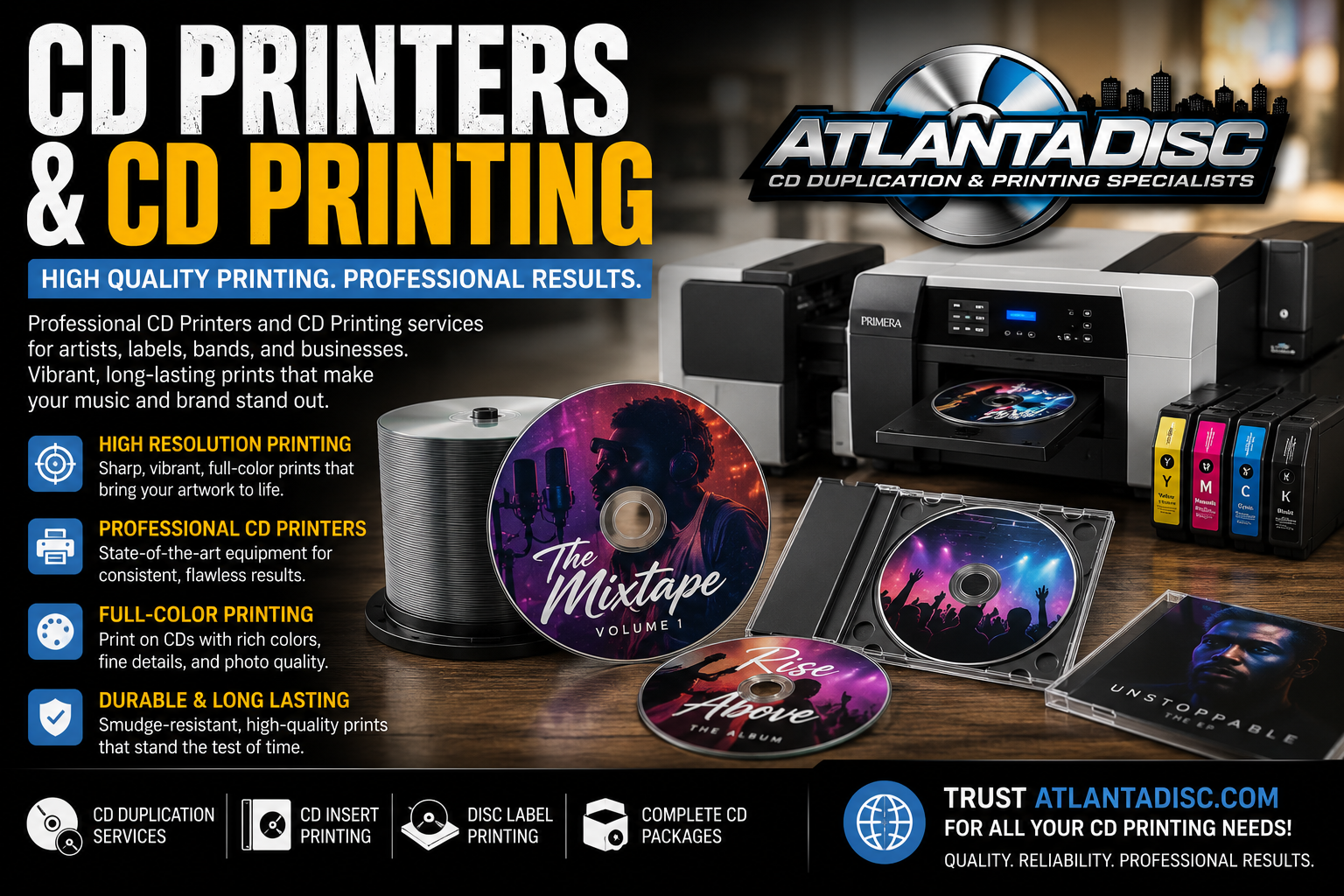
You’ve probably landed here because you need a small run of DVDs that don’t look homemade. Maybe it’s a band release, a church sermon series, a dance recital, a training disc, or event footage you still need to hand people in physical form. The first instinct is usually simple: buy a printer, print the discs yourself, and move on.
That instinct isn’t always wrong. It’s just incomplete.
With printers for DVDs, the primary question isn’t “Which model should I buy?” It’s “Should I own this workflow at all?” For small creators, that difference matters. A disc printer can save money in the right setup, but it can also become one more machine that eats ink, demands test runs, and turns a quick project into a production chore.
Should You Even Buy a Printer for DVDs in 2026
The smartest buyers start by challenging the purchase itself.
Consumer-grade printers that print directly on CDs and DVDs have become a niche. One analysis notes there are only “a few left”, which is a useful reality check if you’re shopping for current hardware and expecting lots of mainstream options (analysis of the shrinking direct-disc printer category). When a category shrinks, ownership usually gets less convenient. Fewer models. Fewer support discussions. Fewer easy replacements when something breaks.
That doesn’t mean DVD printing is dead. It means buying a DVD printer is now a workflow decision, not a default office purchase.
When ownership makes sense
If you print discs regularly, want control over turnaround, and can tolerate setup and maintenance, in-house printing can still be useful. It especially helps when your jobs are small, recurring, and time-sensitive. A church that burns fresh sermon DVDs often has different needs from a band pressing one release every so often.
Owning the gear also gives you flexibility. You can revise artwork, run one-offs, and print an individual replacement disc without placing a new order.
Practical rule: If you expect to revisit the same kind of disc job again and again, a printer can act more like shop equipment than a one-time purchase.
When ownership becomes a time sink
A lot of people only need discs occasionally. That’s where buying hardware gets shaky.
You’re not just buying a machine. You’re buying:
- Setup work to install software and get alignment right
- Consumables like printable media and ink
- Maintenance attention when the printer sits idle between projects
- Production labor that somebody has to do, even if that somebody is you at midnight before a release
If your actual goal is just “I need polished DVDs for this project,” short-run professional service is often the more practical path. You hand off the manufacturing hassle and focus on the content, packaging, and delivery.
The break-even question most guides skip
Most printer roundups assume ownership is the goal. For small creators, the better filter is break-even. Not in a spreadsheet-heavy, fake-precision way. In plain terms:
- If you print often, ownership can spread the hassle across many jobs.
- If you print occasionally, the machine spends more time waiting than working.
- If the project needs premium durability or packaging, home printing usually exposes its limits fast.
That’s the frame for the rest of this decision. Don’t start with the printer. Start with your volume, your patience, and how much your own time is worth.
Understanding the Two Types of DVD Printers
The disc-printer market grew around two main methods: inkjet and thermal. Those are the two primary technologies behind direct printing on optical media, and they helped turn DVD branding into something small creators could do without large manufacturing minimums (disc printer guide from MF Digital).

Inkjet printing
Think of inkjet direct-to-disc printing like a careful spray painter working on a very small round surface. The printer places liquid ink onto a specially coated printable disc.
For indie labels and churches, inkjet became popular because it made short runs realistic. You could print one disc at a time and still get a branded result that looked far better than adhesive labels or marker text.
Inkjet is usually the better fit when your artwork matters more than ruggedness. Full-color album art, gradients, photographs, and softer design work tend to look best here.
Where inkjet works well
- Artwork-heavy projects with photos or detailed color
- Low to moderate in-house runs where appearance matters
- Small teams that want a lower barrier to entry than higher-end specialty systems
Where inkjet gets annoying
- Drying time can slow you down
- Smudging risk becomes real if handling is sloppy
- Ink cost can sneak up on you when you’re reprinting tests and rejects
Thermal printing
Thermal printing is a different animal. Instead of spraying liquid ink, it uses heat-based transfer. In practical terms, it’s closer to applying a solid, controlled layer than painting with droplets.
That difference shows up in durability. Thermal output is commonly associated with more rugged, water-resistant results, which is one reason professional services and higher-end production setups lean that way for premium work.
Inkjet usually wins on vivid, photo-style color. Thermal usually wins on durability, handling, and production confidence.
Which technology fits your project
The choice isn’t abstract. It depends on what the disc has to do after it leaves your hands.
A musician selling discs at merch tables might care most about artwork that pops. A church archive or wedding videographer may care more about prints that hold up well over time and through repeated handling. If you’re making a collector-oriented physical release, durability can matter almost as much as the content on the disc.
Here’s the practical split:
| Project need | Better fit |
|---|---|
| Full-color art and photo-heavy labels | Inkjet |
| Water-resistant, tougher finish | Thermal |
| Occasional in-house short runs | Inkjet |
| Higher-end production feel | Thermal |
The mistake is shopping for all printers for DVDs as if they’re interchangeable. They’re not. The print method shapes your costs, your workflow, and the quality your buyer sees first.
Key Tech Specs to Check Before You Buy
Most product listings for printers for DVDs throw a pile of specs at you and expect you to decode them. Some matter. Some don’t matter nearly as much as people think.
The one spec area you can’t afford to ignore is media compatibility. For direct-to-disc inkjet printing, Epson states that these systems work with inkjet-printable CDs, DVDs, and Blu-ray discs, meaning the top coating has to be designed to absorb liquid ink. Using the wrong disc surface can cause smearing, weak color, and inconsistent prints (Epson direct CD and DVD printing guidance).

Disc compatibility comes first
Beginners often waste the most time here. They blame the printer when the actual problem is the disc stock.
If you’re using inkjet direct-to-disc printing, the printable coating is not optional. It’s what lets the ink anchor properly. Without it, your artwork may look soft, blotchy, or unstable around edges.
What to check on the media side
- Printable surface type. Make sure the discs are specifically made for inkjet direct-to-disc printing.
- Consistent top coating. Cheap or uneven coatings create visible variation from disc to disc.
- Format support. If your project uses DVD, CD, or Blu-ray, confirm the printer and media both support that format.
Print resolution and what it really means
Higher resolution helps, but it isn’t magic. A spec sheet can promise sharp output, yet your finished disc still won’t look clean if the artwork file is weak or the printable surface is poor.
Resolution matters most for:
- fine text near the hub or outer edge
- logos with crisp lines
- detailed art with subtle transitions
For basic sermon titles or simple logo discs, you don’t need to obsess over top-end photo performance. For retail-looking music releases, it matters more.
Cartridge design affects running cost
This doesn’t get enough attention. A printer with separate cartridges can be easier to live with than one that ties multiple colors together. Why? Because DVD artwork often burns through one part of the color set faster than others.
That doesn’t guarantee lower operating cost in every case, but it does affect how painful refills feel over time.
Buying rule: Don’t judge a DVD printer by hardware price alone. Judge it by the media it requires, the cartridges it uses, and how often you’ll actually run it.
Software and connectivity matter more than people expect
A clunky driver or awkward disc-layout program can turn a simple print run into trial-and-error. Alignment tools, template support, and reliable communication with the printer matter because discs give you less room for mistakes than paper.
Connectivity also changes how the machine fits your setup. USB-only may be fine if the printer lives beside one production computer. Shared environments may need something easier to integrate into a broader workspace.
A short practical checklist helps:
- Confirm disc format support for the media you use.
- Check printable media requirements before buying a stack of blanks.
- Look at cartridge setup with recurring use in mind.
- Review the software workflow, not just output claims.
- Treat print speed carefully if you’ll be doing batches.
- Check support status if you’re buying older or niche hardware.
Specs matter, but only when they map to your real job. A lot of expensive disappointment starts with buying a machine that looks capable on paper and turns out to be annoying in the exact way your project can’t tolerate.
The Reality of DIY Disc Printing Workflow and Costs
A DVD printer doesn’t save you from production work. It gives you production work.
That’s not a complaint. It’s just the honest shape of the job. Once you bring disc printing in-house, you own the whole chain: artwork prep, printable media, testing, alignment, printing, drying, checking, burning, packaging, and dealing with rejects.
A lot of buyers also miss the distinction between a disc printer and a disc publisher. A printer only prints labels. A publisher combines printing and burning in one unit. Trade guidance also recommends forecasting your day, monthly, and yearly volume before choosing, because the right equipment depends on whether your bottleneck is quality, speed, or labor per disc (disc printer and disc publisher buying guidance from CCI Solutions).

The real workflow nobody mentions in product roundups
A clean DIY run usually looks something like this:
- Prepare the disc face artwork in software that can handle circular layouts, hub margins, and bleed safely.
- Run a test print because center alignment on discs is less forgiving than paper.
- Load printable media carefully and confirm the printer tray is behaving.
- Print the batch while watching for feed issues or visible banding.
- Let the discs dry fully before stacking or packaging.
- Burn content separately if you’re using a print-only unit.
- Inspect each disc because one bad smudge can ruin the whole presentation.
That’s manageable for a careful operator. It’s not passive.
A quick video example helps if you’ve never seen the process in motion.
Total cost of ownership is bigger than the printer price
The sticker price is only the front door.
The ongoing costs include:
- Printable discs
- Ink or thermal supplies
- Failed tests and reprints
- Cleaning and maintenance
- Your time at every stage
- Storage and handling discipline, especially if the printer sits unused between jobs
Now, the break-even question becomes practical. If you’re printing often enough that the setup time and consumables get spread across repeated jobs, ownership can make sense. If you’re only doing occasional batches, every little hassle lands on a much smaller number of finished discs.
A simple break-even way to think about it
You don’t need a fake-precise formula to make a good decision. Use this checklist instead.
DIY is probably worth exploring if
- You have recurring volume rather than one seasonal or one-off project
- You need immediate turnaround and can’t wait on an outside vendor
- You already have someone who can manage artwork, printing, and troubleshooting
- Your quality target fits consumer direct-to-disc output
Outsourcing is usually smarter if
- Your runs are occasional
- You care more about finished presentation than ownership
- You don’t want to babysit hardware
- You need packaging options beyond a plain disc
The hidden cost in DIY isn’t just ink. It’s attention. Every hour spent nudging a disc run along is an hour you’re not spending on music, ministry, editing, promotion, or sales.
For an indie record label manager, that trade-off is the whole story. Hardware can be useful. It can also become one more side business you never meant to start.
The Smart Alternative Professional Short-Run Services
A lot of small creators reach the same point. The printer math looked reasonable at first, but once you add setup time, spoiled discs, replacement ink, and the hours spent getting one batch out cleanly, short-run production starts to look less like outsourcing and more like buying back your time.
That is the main advantage.
A professional short-run service gives you a finished product on a per-project basis. You are paying for repeatable print quality, production discipline, and packaging options without carrying the cost of equipment between releases. For a band, church, filmmaker, or small label that only needs discs a few times a year, that model is often cheaper in practice than owning a machine that sits idle.
The print method also changes the result. Many short-run providers use thermal printing for more durable, water-resistant output, which matters if discs will be mailed, handled at merch tables, or stored for the long term (Primera disc printing overview).
What you’re really paying for
Outsourcing removes several jobs from your plate at once:
- No printer to maintain
- No media testing and alignment adjustments
- No ink ordering cycle
- No reprint loop when a batch goes sideways
- No hand-built packing workflow for a small release
That last part gets overlooked. If you need sleeves, inserts, jewel cases, Digipaks, or shrink wrap, an outside service can usually produce the disc and presentation pieces as one order. Doing that in-house often means buying from multiple vendors, storing materials, and assembling everything yourself.
DIY printing vs professional service
| Factor | DIY with a DVD Printer | Using a Professional Service |
|---|---|---|
| Upfront commitment | Hardware purchase and setup | Order as needed |
| Ongoing cost pattern | Supplies, maintenance, and operator time | Pay per batch |
| Print durability | Depends on printer type and handling discipline | Often stronger, especially with thermal-based options |
| Batch consistency | Can shift with media, settings, and operator experience | Usually more uniform across the order |
| Packaging options | Limited unless you source and assemble separately | Often available as part of one order |
| Turnaround control | Immediate if your setup is working and loaded | Depends on vendor schedule and shipping |
| Best fit | Frequent in-house jobs with repeat demand | Occasional runs or quality-focused releases |
Where the break-even usually tips toward outsourcing
Short-run service makes the most sense when your disc orders are occasional, the presentation matters, and nobody on your team wants to become the disc production department.
That covers a lot of real-world projects:
- Bands pressing a release for shows or direct sales
- Churches making sermon series or conference media
- Event producers handing out polished discs
- Small labels that want packaging done right without adding another workflow
Atlanta Disc is one example of that kind of provider. The useful takeaway is the model, not the brand. You buy the finished run you need, with the print method and packaging already handled, instead of owning tools that only make sense at higher or more frequent volume.
The practical trade-off
You give up some same-day flexibility. You gain predictable output and fewer production chores.
For small creators, that is often the better deal. If the goal is to ship a polished DVD project, not to maintain a printer between releases, professional short-run service usually wins on total cost of ownership.
Making the Final Call Your DVD Project Decision Framework
A good decision here comes down to four things: volume, quality expectation, time, and tolerance for hassle.
If your operation prints discs regularly, has somebody who can manage the machinery, and benefits from same-day output, then in-house printing can earn its place. That’s especially true when the same kind of job repeats often enough that the setup pain becomes routine instead of disruptive.
Choose a DVD printer if these sound like you
- You print consistently, not just once in a while
- You want control over small reruns and replacement discs
- You’re comfortable troubleshooting media, software, and alignment issues
- Your buyers don’t require premium packaging or maximum print durability
Choose professional short-run production if these sound like you
- You only need discs for specific projects or releases
- You want polished results without managing hardware
- You care about presentation, including packaging and durable print finish
- Your time is more valuable elsewhere, such as recording, editing, promotion, or fulfillment
The right answer isn’t the one that gives you the most control. It’s the one that gets the project done well without creating a second job.
A simple final filter
Ask yourself three questions:
- Will this machine stay busy after this project is over?
- Do I want to learn disc production, or do I just need finished discs?
- If something misprints, clogs, smears, or drifts out of alignment, do I want that problem on my desk?
If you answer “no” to most of those, stop shopping models. You probably don’t need to buy a printer for DVDs.
If you answer “yes,” buy with your workflow in mind, not just the spec sheet. Match the printer type to the job, use the right printable media, and be realistic about your labor. That’s how a DVD printing setup becomes useful instead of annoying.
If you’ve decided your project is better suited to professional short-run production, Atlanta Disc is one option for DVD duplication and printing, with packaging choices geared toward artists, churches, indie labels, and other small-run creators who need a finished product without taking on the entire in-house workflow.