
Your Guide to Making the Perfect Custom Mix CD
In a world of endless, instant streaming, the custom mix CD feels like a small rebellion. It’s a deliberate, thoughtful act that turns a simple playlist into a physical keepsake—something you can actually hold. Creating a mix CD requires a level of care and effort that a shared digital link just can’t match, and this guide will walk you through making one that’s truly special.
Why A Custom Mix CD Is Still The Perfect Gift

There’s a certain kind of magic in receiving a collection of songs chosen just for you. Unlike a digital playlist that can get lost in a library of thousands, a custom mix CD is a creative statement. It’s a snapshot of a moment, a specific mood, or a friendship, carefully preserved on a disc. That tangible connection is exactly what makes it such a powerful gift for a birthday, an anniversary, or just because.
The process is a huge part of the charm. It forces you to really think about the person on the receiving end. What songs define your relationship? What melodies will make them smile on a rough day? Which lyrics will hit them right in the heart? That level of genuine personalization is hard to come by these days.
It’s All About Nostalgia and Effort
For a lot of us, the very idea of a mix CD throws us back to the late 90s and early 2000s. Music sharing was an art form back then, and every track had to be carefully considered to fit perfectly within that 80-minute limit. Tapping into that nostalgia is a huge part of its modern-day appeal.
At their absolute peak in 1999, CD sales fueled a staggering $21 billion music industry in the United States alone. While physical media has obviously taken a backseat, the emotional value of a handcrafted mix has only increased. If you’re curious, you can see the breakdown of U.S. music revenue by format over the years.
Giving a mix CD today says something profound: “I spent real time on this, just for you.” It’s a gesture that cuts through the digital noise and shows you truly care.
More Than Just a Playlist
When it comes down to it, a custom mix CD is a full sensory experience. The carefully chosen tracklist, the personalized cover art you designed, and the act of physically handing it to someone all come together to create a lasting memory. It’s not just a folder of audio files; it’s a story you’ve built from scratch.
This guide treats making a mix CD as the meaningful project it is. And if you want to give it a professional polish, services like Mixtape Duplication can help bring your vision to life.
Crafting a Memorable Tracklist
The soul of any great custom mix cd is the tracklist. This is where the magic happens. You’re not just dumping your favorite songs together; you’re telling a story, setting a mood, and taking someone on a journey that a random algorithm could never dream of creating.
Think of it this way: you’re the director, and each song is a scene in your movie. The first step is deciding on the plot. Is this the definitive summer road trip soundtrack? A mix to get over a breakup that travels from heartbreak to empowerment? Nailing down your theme is everything.
Building Your Sonic Narrative
Once you’ve got a theme, it’s all about the emotional arc. A classic rookie mistake is stacking all the bangers at the beginning. The best mixes have peaks and valleys, guiding the listener through an experience.
For example, if you’re making a mix for a chill evening, you might start with something quiet and atmospheric. From there, you could build into a more soulful, mid-tempo middle section before gently winding things down for a peaceful, reflective finish. That kind of thoughtful pacing is what makes a mix feel deliberate and truly special.
Don’t forget to listen to the words! A song might have the perfect vibe, but the lyrics could completely torpedo your theme. You wouldn’t put a catchy tune about lost love on an anniversary mix, would you? That’s the kind of detail that can throw off the entire story you’re trying to tell.
A well-crafted tracklist does more than just play music; it communicates a message. The order, flow, and lyrical content all work together to tell a story that is uniquely yours.
The Art of the Transition
The real secret sauce is in the transitions—how one song melts into the next. This is what separates a simple collection of songs from a masterful mix. You don’t have to be a DJ to pull this off, you just need to trust your ears.
Here are a few tricks I’ve learned for making those changes feel seamless:
- Tempo Matching: Try to keep the beats-per-minute (BPM) similar between back-to-back songs. A sudden leap from a slow ballad to a frantic punk track can be really jarring and pull the listener out of the moment.
- Key Compatibility: Songs in similar or complementary keys just sound good together. You don’t need a degree in music theory; you’ll know it when you hear it. The blend will feel natural and smooth.
- Instrumental Intros/Outros: These are your best friends. A song with a long, fading instrumental outro can act as the perfect runway for the next track’s quiet intro to take off.
And finally, never forget the beautiful limitation of the medium: a standard CD holds about 80 minutes of music. This isn’t a drawback; it’s a creative gift. It forces you to be ruthless, ensuring every single track has earned its spot. The result is a tight, powerful, and truly unforgettable custom mix cd.
Designing Artwork That Tells a Story
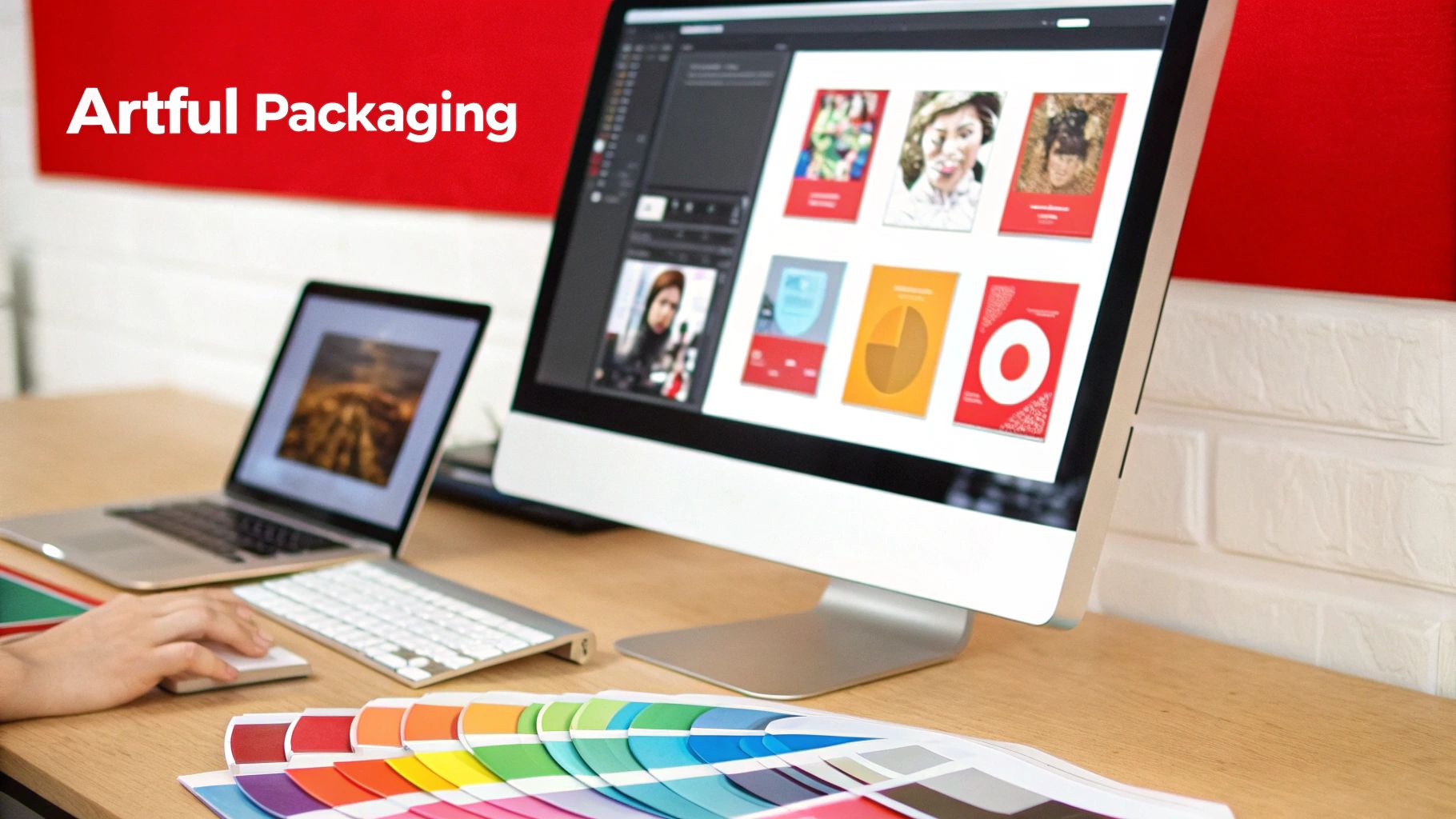
The artwork for your custom mix cd is the visual handshake. It’s the first thing someone sees, setting the entire vibe for the listening experience. This is what transforms a simple disc of music into a complete, tangible gift that feels incredibly personal.
Great design tells the story of your mix before the first track even plays. This isn’t about being a professional graphic designer, either. It’s about creating a visual mood that matches the sonic one you so carefully put together.
Think about the theme of your tracklist. Is it a high-energy summer road trip mix? Your artwork should reflect that with bright, warm colors and dynamic photos. Or maybe it’s a reflective, cozy winter collection? Go for cooler tones, softer textures, and minimalist fonts to capture that feeling.
Picking the Right Design Tools
Getting your design off the ground is easier than you think, thanks to a ton of user-friendly tools. You definitely don’t need to drop a ton of cash on professional software to create something that looks polished and thoughtful. The best tool for you really just depends on how comfortable you are with design and how much control you want.
To help you decide, here’s a quick rundown of some of the most popular options available.
Artwork Design Tool Comparison
Choosing your design software can feel overwhelming, but most people find a great fit with one of the mainstream, user-friendly platforms. This table breaks down a few top choices to help you find the right one for your project.
| Tool | Best For | Ease of Use | Cost |
|---|---|---|---|
| Canva | Beginners and those wanting quick, professional results. | Very Easy | Free (with optional paid features) |
| Adobe Express | Users looking for a step up from Canva with more creative options. | Easy | Free (with a premium version available) |
| Photoshop | Experienced designers who want complete creative freedom. | Advanced | Subscription-based |
Honestly, for most people creating a personal mix, a tool like Canva is the perfect starting point. It’s packed with templates made specifically for CD covers and labels, which takes all the guesswork out of getting the dimensions and layout just right.
Essential Design Elements to Get Right
Once you’ve got your tool picked out, it’s time to focus on the core components that will bring your vision to life. The right combination of images, fonts, and layout is what will make your artwork really connect.
Here are a few pointers from my own experience:
- Image Selection: Find a high-resolution photo or graphic that captures the spirit of your mix. This could be a personal photo from a shared memory, a cool piece of abstract art, or even just a simple, textured background.
- Typography Matters: The font you pick says a lot. A playful, handwritten script might be perfect for a romantic mix, while a clean, bold sans-serif font could suit a modern workout playlist.
- Don’t Forget the Tracklist: Be sure to include a tracklist on the back insert! It’s a classic touch that helps the listener follow the musical journey you’ve created and easily spot their favorite new songs.
The goal isn’t to create a masterpiece worthy of a museum. It’s to create something that feels authentic to the music and the person you’re giving it to. The effort you put into the visual design shows a level of care that makes the gift unforgettable.
Ultimately, your artwork is an extension of the music itself. By carefully picking your visuals and making sure they’re formatted correctly, you’re ensuring the final product looks every bit as good as it sounds. If you need some inspiration, you can check out various professional CD cover and box designs to see how different styles come together.
Sourcing and Preparing Your Audio Files
Alright, you’ve got your perfect tracklist mapped out. Now for the nuts and bolts: getting the actual audio files together. This is where the technical details really matter, because the quality of your source files will make or break the final sound of your custom mix cd. Trust me, even the best song selection in the world can’t save a mix made from low-quality, tinny-sounding files.
Your mission is to hunt down the highest quality version of every song on your list. The biggest factor here is the file format. You’ll typically run into three main players: MP3, WAV, and FLAC. Each one strikes a different balance between how much space it takes up and how good it sounds. For a CD, great audio is the whole point, so you want to steer clear of files that are too compressed.
This chart gives you a quick visual breakdown of the differences.
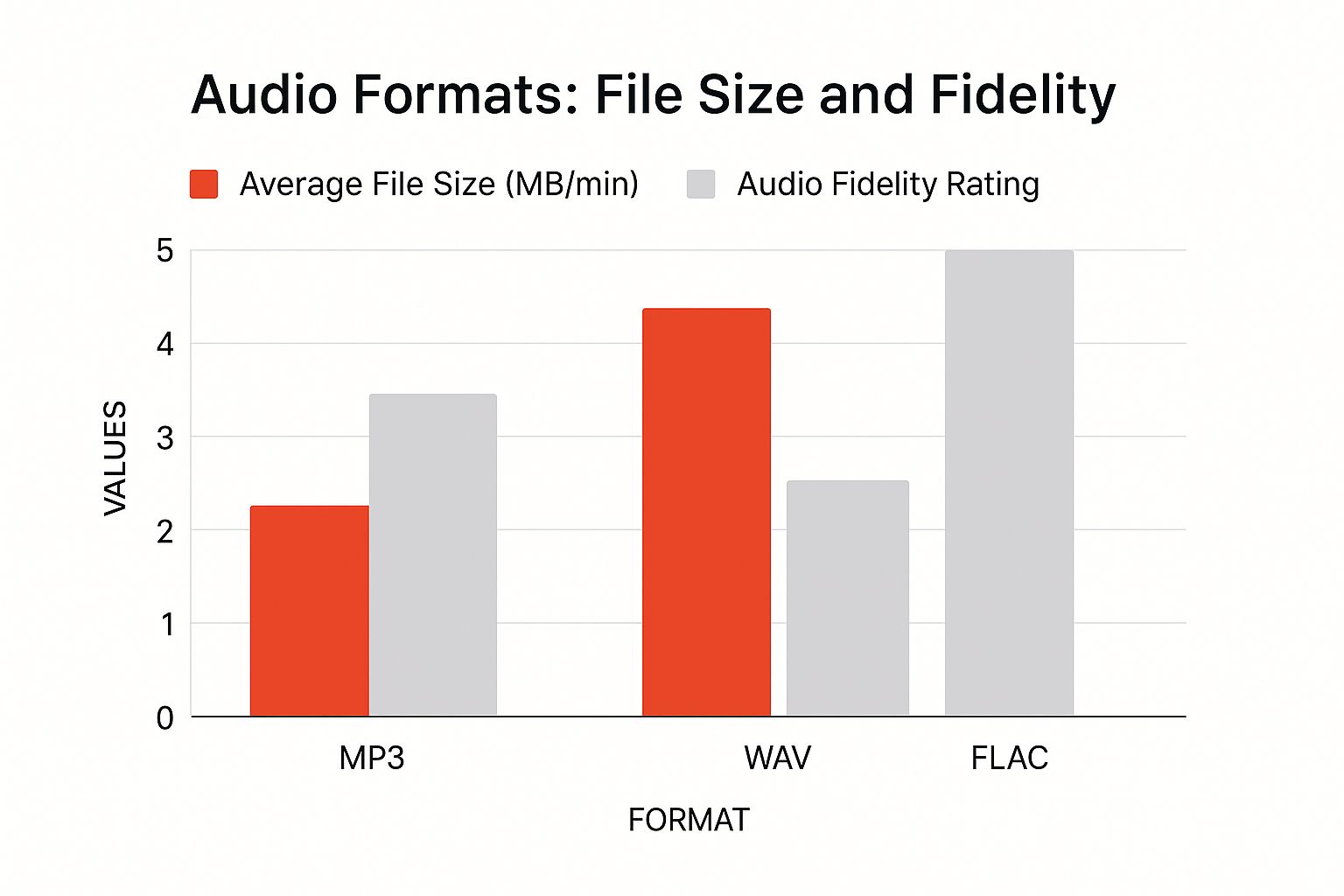
As you can see, WAV and FLAC are the heavy hitters, delivering that full, uncompressed sound that’s perfect for a CD. MP3s are the lightweight option, but they achieve that small size by cutting out audio data, which you can definitely hear on a good stereo.
Where to Legally Find High-Quality Tracks
This is important: you have to own the music. Streaming services like Spotify or Apple Music are great for listening, but their files are locked down with protection that prevents you from downloading or burning them. So, you’ll need to work with audio files that are legally yours.
Here are your best bets for sourcing tracks:
- Your Existing Digital Library: Start with what you already have. Any music you’ve purchased over the years from places like iTunes, Amazon Music, or Bandcamp is fair game.
- Digital Music Stores: Missing a key song? Head to a digital store to buy it. I’m a big fan of Bandcamp because they often give you the option to download your purchase in high-quality formats like FLAC or WAV right from the start.
- Ripping Your Own CDs: Got the album on a physical CD? Perfect. You can “rip” the tracks directly to your computer. Software like Windows Media Player or Apple Music can handle this, but make sure you dive into the settings and choose a lossless format like WAV or AIFF. Don’t just settle for the default MP3 rip.
Getting Your Tracks Ready for the Mix
With all your files gathered, there are a couple of final tweaks to ensure your mix sounds polished and professional. The most crucial one is volume normalization.
What is that? It’s a process that automatically adjusts each track to a similar volume. This is what keeps your listener from getting their ears blasted when a loud rock anthem follows a quiet acoustic ballad. It’s the secret to a smooth, enjoyable listen.
A consistent volume level is what separates a thoughtful mixtape from a random playlist. It creates a seamless journey where the listener can just get lost in the music without ever having to touch the volume knob.
Most software you’ll use to create the CD will have a “normalize audio” checkbox somewhere in the settings—find it and make sure it’s on.
One last piece of advice: create a new folder on your computer just for this project. Name it something obvious like “Road Trip Mix CD” and put all your final, high-quality, normalized tracks inside. This little bit of organization will save you a massive headache later and makes the final step of putting it all together a total breeze.
Finding the Right Custom Mix CD Service
So you’ve decided against digging out that old CD burner from the attic. Smart move. If you want a truly professional, polished finish for your mix, using an online service is the only way to go. But a quick search reveals tons of options, and it’s easy to get overwhelmed.
The secret is finding a partner that gets what you’re trying to do, whether it’s crafting a single, deeply personal gift or making a small batch of CDs for a special event. A great custom mix cd service will sweat the small stuff—like high-quality disc printing and perfect jewel case assembly—so you can focus on what really matters: the music and the message.
What to Look For in a CD Service
When you start comparing different companies, it’s easy to get bogged down in technical specs. To cut through the noise, just focus on the few things that will actually impact your final product and how much of a headache the process is.
A little bit of research upfront can save you a world of frustration later. Here’s what I always tell people to check first:
- How easy is it to order? The best services have a website that just makes sense. You should be able to upload your audio and artwork without needing a user manual. If the process feels clunky or confusing, that’s a red flag.
- What does their printing look like? Don’t just take their word for it—look for photos of their actual work. Do they print in full, vibrant color right on the disc? Are the jewel case inserts crisp and professional? This is what separates a homemade project from a high-quality gift.
- How fast will you get it? This one’s huge, especially if you’re up against a deadline for a birthday or anniversary. Good companies are totally transparent about their production and shipping times.
- Are there hidden fees? Look for clear, upfront pricing. A simple flat rate per CD is usually the best deal, especially for small, one-off orders. You don’t want any surprises when you get to the checkout page.
A top-notch service makes the whole experience feel seamless. It should be just as easy to bring your creative vision to life online as it is to unbox the beautifully finished CD that arrives at your door.
Making the Final Call
Let’s put this into a real-world context. Say you’re creating a custom mix cd for your best friend’s wedding. You’ll absolutely need a service with rock-solid, fast shipping and fantastic print quality to make sure the gift is perfect for their big day.
When you’re vetting potential companies, it’s helpful to see how their features stack up. A good online service should offer a suite of tools and options that make your life easier.
Here’s a quick look at some key features and why they matter.
Online Custom CD Service Features
| Feature | What It Means | Why It’s Important |
|---|---|---|
| Flexible Audio Submission | You can send your tracklist in different ways, like uploading MP3s or just sharing a playlist link. | A service that accepts links from Spotify or YouTube can save you a massive amount of time. No more downloading and re-uploading individual tracks. |
| Artwork Templates | They provide downloadable files for designing your CD label and jewel case inserts. | Using their official templates ensures your designs are perfectly sized and aligned. This prevents frustrating and costly printing errors. |
| Real Customer Support | You can actually reach a human via email or phone if you have a question or run into a problem. | Good support is a lifesaver if you hit a technical snag or just need someone to clarify how to place your order correctly. |
| No Order Minimums | The smallest number of CDs you’re required to purchase. | For a personal gift, you absolutely need a service with no minimum order. This gives you the freedom to create just one special CD. |
Ultimately, you want to find a service that feels less like a faceless company and more like a partner in your project.
Companies like our own at Mixtape Duplication are built specifically for this. We handle everything from custom inserts to professionally printed boxes for larger orders, which you can see in our bulk order packaging options.

By keeping these key factors in mind, you can confidently pick a company that will do your vision justice and deliver a mix CD you’ll be proud to give.
Got Questions About Making a Mix CD?
As you get close to finishing your mix CD project, a few final questions always seem to pop up. Sorting out these little details is the key to making sure the final disc is exactly what you had in your head, with no surprises. Let’s walk through some of the most common things people ask.
How Much Music Can I Actually Fit on a Disc?
This is usually the first question on everyone’s mind. The physical limit of a standard CD-R is what dictates your playlist length. Most discs hold 700MB of data, which gives you a solid 80 minutes of audio to work with.
Think of it less as a restriction and more as a creative challenge. That 80-minute limit forces you to be thoughtful and deliberate, making sure every single song on there is essential. Most music apps, like Apple Music or even the classic Windows Media Player, will show you the total running time of a playlist as you build it, which makes it super easy to keep an eye on things.
So, Is This Even Legal?
The legality question is a big one, and it’s easy to get confused. Can you really just burn a bunch of songs onto a CD? For personal use, the answer is generally yes, but there are some very important lines you can’t cross.
If you’ve legally bought and paid for the music files, you’re usually covered by “fair use” principles to make a single copy for yourself or as a gift for a friend. It’s considered personal use, like making a tape for your car back in the day.
The moment you try to sell your mix CDs, make a bunch of copies for a large group, or distribute them in any commercial way, you’re crossing into copyright infringement. The rights belong to the artists and their labels, and they need to be respected.
This brings us to where you’re getting your music from in the first place.
Why Can’t I Just Use My Spotify Playlist?
This is probably the most frequent technical hurdle people run into. You’ve spent hours creating the perfect playlist on Spotify or Apple Music, so why can’t you just burn it to a disc?
Unfortunately, it’s a definite no. All the major streaming services use something called Digital Rights Management (DRM) to protect their music. This is basically a lock on the files that prevents you from downloading them as simple MP3s and using them anywhere else. It’s how they make sure artists get paid for every listen.
To make your mix, you need to use audio files you actually own outright and have on your computer. Your go-to sources will be:
- MP3s, WAVs, or AACs you’ve purchased from online stores like Bandcamp, Amazon Music, or the iTunes Store.
- Songs you have ripped from physical CDs that you already own.
- Any other audio files you’ve legally obtained that are DRM-free.
Using your own files is the only way to ensure your project is both legal and technically possible. It guarantees you end up with a high-quality custom mix CD you can share without any issues.