
Creative USB Memory Stick Packaging Ideas
You’ve finished the music, approved the masters, and exported the files. Now comes the part that catches a lot of first-time buyers off guard. The usb itself is only half the product. The package is what people see first, what they carry home, and what determines whether your shipping bill stays reasonable or gets painful fast.
That matters even more on a short run. If you’re ordering for a debut EP, a church sermon series, a DJ promo drop, or merch table sales, you probably don’t need a corporate-style presentation box. You need usb memory stick packaging that protects the drive, looks clean, and fits the way you will distribute it. Hand-to-hand at shows is different from mailing out individual orders. A giveaway is different from a retail item. A sermon archive is different from an album release.
The good news is that you have solid options. The wrong packaging usually fails in one of three ways. It looks too cheap, costs too much to ship, or doesn’t protect the drive well enough. The right packaging balances all three.
Why Choose USBs for Your Next Project
If you’re staring at a finished album or content series and wondering what physical format still makes sense, USBs deserve a serious look. They give you something a download card can’t. A customer walks away with a usable object, not just a code. That changes the perceived value right away.
USB flash drives also aren’t some passing novelty. The usb flash drive entered the market in late 2000 and quickly moved from simple portable storage into branded distribution and promotional use, according to this history of the rise of flash drives. That same source notes that nearly 6 out of 10 US consumers own a branded USB stick, and that a branded stick generates an average of 700 views over its lifetime.
Practical rule: If you want your release to feel like merch instead of just file delivery, USBs usually outperform bare download access.
For musicians, DJs, and churches, that flexibility matters. A usb can hold music, album art, lyric sheets, sermon notes, videos, PDFs, and bonus content in one package. You’re not locked into the limitations of an older audio format. You’re delivering a small media kit.
Where USBs make the most sense
Some projects fit USBs especially well:
- Album and EP merch: Fans can get audio files plus artwork, extras, and digital booklets.
- Mixtape and promo drops: DJs can send tracks, drops, press photos, and contact info together.
- Church and ministry distribution: Sermons, study guides, event calendars, and media files can live on one drive.
- Podcasters and creators: Media kits, archives, and bundled content are easy to organize.
USBs also work well when your audience uses a mix of devices and listening habits. Some people still want something physical. Others want files they can move, save, and revisit. USBs bridge that gap.
Why packaging matters so much
A naked drive in a generic bag feels unfinished. A well-chosen package makes the release look intentional. It also affects storage, handling, and shipping. If you’re mailing single units, packaging can determine whether your order behaves like a lightweight flat or a more expensive parcel. That’s often where budget decisions get won or lost.
Exploring Your Core USB Packaging Options
The smartest way to choose usb memory stick packaging is to start with use case, not looks. Ask one question first. Are you selling this, handing it out, or mailing it one by one?

A lot of first-time buyers jump straight to tins or hard boxes because they look premium in photos. That can be the right move for some projects, but it’s often the wrong place to start for short runs. Thin, lightweight packaging usually gives indie artists and ministries more flexibility.
Clear sleeves and simple vinyl pouches
This is the budget workhorse. A clear sleeve keeps the drive visible, adds a basic layer of protection, and stays light enough for easier mailing. If your project is going out in singles to fans, promoters, or members, this format is often hard to beat on cost.
The trade-off is branding space. You don’t get a lot of printable surface unless you add an insert, a sticker, or a separate card. That’s fine for promo use, especially if the drive itself is printed.
This format tends to work well for:
- Mixtape and street promo runs
- Mail-order single units
- Event handouts
- Low-cost short runs where the usb itself carries most of the branding
Cardboard Eco-Wallets and printed jackets
For many indie projects, this is the sweet spot. A printed cardboard wallet gives you real artwork space without the weight and bulk of a hard case. It feels more like a finished product than a simple sleeve, and it can still stay mail-friendly.
Cardboard packaging also fits buyers who want a more sustainable direction. According to USB packaging guidance focused on eco materials and recyclability, the US market for green packaging is seeing a 25% CAGR, and folded 2-panel EcoPacks can offer up to 90% recyclability. The same source notes that premium tins have a low 10% recycling rate per the EPA.
If you want the package to feel intentional without paying for bulk and metal, printed cardboard is usually the practical middle ground.
For artists, that means enough room for front cover art, back-panel information, track lists, credits, or QR support pieces. For churches, it means room for a sermon title, speaker name, date range, and ministry branding.
Plastic cases and hard-shell boxes
Plastic boxes give you more structure. They stack well, protect the drive better than soft packaging, and feel familiar to buyers who still think in physical media terms. They’re useful when the product will sit on tables, travel in bins, or be sold in person where presentation matters.
Their weakness is bulk. They take up more room in cartons and usually push you toward more expensive mailing methods when shipped individually. If your release will mostly be sold at shows, conferences, or church events, that may be acceptable. If you’re mailing one at a time, it adds friction fast.
A hard plastic format makes sense when:
- You need better shelf presence
- You expect rough handling at events
- The package itself is part of the perceived value
A short visual overview helps if you’re comparing formats in real time:
Premium tins and gift-style presentation boxes
These look impressive. They photograph well. They can make a usb release feel like a collector item.
They also cause trouble when the budget is tight. Tins add weight, increase dimensions, and don’t recycle as cleanly as many people assume. They can be right for a special edition, donor gift, or commemorative set. They’re usually not the right answer for broad mail-order distribution or low-margin merch.
Here’s a quick side-by-side:
| Packaging type | Best use | Main advantage | Main drawback |
|---|---|---|---|
| Clear sleeve | Promo and low-cost mailers | Light and simple | Limited branding area |
| Cardboard Eco-Wallet | Albums, sermons, general merch | Good print space and lower bulk | Less rigid than hard cases |
| Plastic box | Event sales and display tables | Better structure | Bulkier to ship |
| Tin or gift box | Premium or collector releases | Strong presentation | Higher mailing and material burden |
What usually works best
For most short-run creative orders, the most practical path is simple. Start with a printed cardboard format or a clean sleeve-based format, then upgrade only if the project really needs a premium reveal. That keeps your packaging aligned with how people will receive it.
The Power of Materials and Finishes
A package can say “budget” or “worth keeping” before anyone plugs in the drive. Material choice achieves that effect implicitly. Even when the artwork is the same, the stock and finish can move the product from giveaway territory into real merchandise.

Cardboard, plastic, and fabric-lined presentation
Cardboard is the most versatile option for short-run jobs. It prints well, gives you front-and-back real estate, and can look either lean or upscale depending on the stock and finish. A thin uncoated card feels direct and stripped down. A heavier coated board feels more deliberate.
Plastic sends a different message. It feels durable and familiar, but not always distinctive. For some releases that’s fine. If your goal is clean protection and easy handling, plastic does the job. If your goal is a handcrafted or boutique feel, printed board often gets you there more naturally.
Fabric-lined or velvet-style presentation boxes sit in another category entirely. They can look elegant, but they also set expectations. Once the outer package feels gift-grade, the artwork, print quality, and drive style all need to keep up.
Matte, gloss, and the feel of the release
Finish changes how the art is read. A gloss finish tends to make color pop. It’s a good fit for bold photography, club graphics, high-saturation hip-hop artwork, or youth-oriented event material. It reflects light, so it feels more energetic.
Matte has a calmer tone. It softens glare and often makes typography feel more serious. If your project leans cinematic, minimal, worship-focused, or archival, matte usually feels more appropriate.
A glossy package can feel like a flyer. A matte package can feel like an art object. Neither is automatically better. The artwork decides.
If the design is busy, matte often helps control it. If the design is simple and color-driven, gloss can add life.
Small finish choices that change perceived value
You don’t always need a premium structure to make a package look more expensive. Often, small upgrades do the heavy lifting.
Consider these practical effects:
- Heavier cardstock: Makes the package feel less disposable when someone picks it up.
- Soft-touch or matte lamination: Works well for refined branding and darker artwork.
- Gloss coating: Helps colorful cover art and photos stand out.
- Interior printing: Adds surprise value in a cardboard wallet without changing the overall format much.
A useful comparison is the business card test. A thin card with average print does the job. A heavier matte card with clean typography feels like someone cared. USB packaging works the same way.
What not to do
Some combinations fight each other. A luxury-style velvet box with low-resolution artwork feels off. A highly polished tin with thin promotional inserts can feel mismatched. A rustic recycled board stock with overly glossy club-style design can also look confused.
Keep the package consistent with the release itself. If the music is raw and direct, a lean wallet or sleeve may feel more authentic than a gift box. If the item is a commemorative sermon archive or sponsor gift, the premium route may make sense.
Artwork Requirements and Technical Specs
Artwork mistakes on usb memory stick packaging are usually simple, but they’re expensive because they show up late. A logo looks fuzzy. Text gets too close to the cut. Black prints muddy. Or the package arrives looking fine, but the insert doesn’t hold the drive securely enough for shipping.
Professional packaging has to solve both the print side and the protection side.

Start with the right artwork files
Printers ask for vector files because vectors stay sharp at any size. Logos built in AI, EPS, SVG, or press-ready PDF format print cleanly. Raster graphics, especially logos pulled from websites or social media, often break down when enlarged.
Keep these basics in order before you submit:
- Use vector artwork for logos: That prevents soft edges and pixelation.
- Set files in CMYK: Screen color and print color don’t behave the same way.
- Build in bleed: Extend the background past the trim so white edges don’t appear.
- Protect the safe area: Keep text and critical elements away from the cut line.
- Outline or embed fonts: That avoids font substitution issues during production.
If you’re using photos, make sure they’re high enough quality for print at final size. A social post image often isn’t.
Why templates matter more than people think
Templates save jobs. They show cut lines, folds, live areas, and the exact place where the usb sits. If you ignore them, the design may still print, but it won’t function well as packaging.
That’s especially true on small formats. A title that looks centered on a laptop screen may shift awkwardly once folds and panel widths are real. A background pattern can break at the spine. A logo can disappear behind the inserted drive.
Leave breathing room. Small packaging formats punish crowded layouts faster than posters or flyers do.
The technical reason protective inserts matter
This part gets overlooked because the package is doing a hidden job. A usb drive contains a Printed Circuit Board Assembly, with separate integrated circuits for the usb interface and the NAND flash memory, plus a crystal oscillator. According to this technical overview of USB flash drive construction, those internal parts are vulnerable to heat and impact, which is why foam inserts and sturdy casings help prevent data corruption during shipping.
That means the insert isn’t decorative. It keeps the drive from shifting, absorbing impact, and stressing the connector inside the package.
A simple prepress checklist
Before you approve anything, verify these points:
- Check the dieline: Make sure no text, logos, or QR codes sit too close to folds or cuts.
- Confirm the usb fit: The cavity, tab, or insert should hold the drive firmly.
- Review black backgrounds carefully: Rich dark areas can print differently than expected.
- Proof both sides: Back panels often get less attention and more mistakes.
- Open the final PDF on another machine: Missing fonts and linked images show up here.
A package that looks polished but fails in transit still fails. Good packaging design protects the product and the artwork at the same time.
How to Choose the Right Package for Your Project
You order 200 USBs for a release, the unit price looks fine, and then single-order shipping starts eating the margin. That is where packaging choices get expensive fast. For indie artists, DJs, and churches running short runs from 25 to 5,000 units, the right package is usually the one that fits the project, survives handling, and keeps fulfillment costs under control.
Start with how the USB will be distributed. A merch item sold at the back table has different demands than a promo piece mailed one at a time, and both are different from a sermon series handed out after service. If you choose packaging by appearance first, you usually spend more on postage, packing labor, or both.
As noted earlier, thinner formats can reduce mailing cost compared with rigid presentation packaging. That is why short-run jobs often work best with clear sleeves, slim wallets, or printed cardboard wallets instead of tins and heavier boxes.
Three common project scenarios
The indie band with a debut release
A first release usually needs to look legitimate without turning into a packaging project that costs more than the music. A printed cardboard wallet is often the safest choice. It gives you enough room for cover art, track list, credits, and a download or social callout, but it still mails more cheaply than a rigid case.
If most copies will sell hand to hand at shows, you can spend a little more on presentation. If you expect even a modest number of direct-to-fan shipments, keep the pack thin and simple.
The mixtape DJ sending promo drops
Promo lives or dies on speed, clarity, and cost. The recipient needs the files, your name, and a package that arrives without looking careless. A clear sleeve or slim printed wallet usually does that job better than a premium box.
Heavy packaging works against the goal here. It takes up more space, costs more to mail, and rarely changes whether someone listens.
The church or ministry distributing a sermon series
Church projects often need clean labeling more than deluxe presentation. A cardboard wallet gives enough surface area for the series title, speaker name, dates, scripture theme, or ministry contact details. It also stacks well for lobby pickup and stores neatly for later use.
A donor gift or anniversary set can justify a more formal package. Weekly or monthly distribution usually does not.
Recommended USB Packaging by Project Type
| Project Type | Recommended Packaging | Key Considerations |
|---|---|---|
| Indie band album or EP | Printed cardboard wallet | Good artwork space, cleaner merch presentation, lighter for mailing |
| Mixtape DJ promo | Clear sleeve or slim wallet | Lower cost, easy single-unit distribution, simple branding |
| Church sermon series | Cardboard wallet | Room for information, tidy storage, practical for events or mailers |
| Premium commemorative release | Tin or presentation box | Better reveal, but higher bulk and shipping cost |
Questions that narrow the choice fast
Ask these before you approve a packaging style:
- How will most units move? Mail order favors thin formats.
- Is this merch or promo? Merch needs stronger shelf presence. Promo needs efficiency.
- Do you need printed space for credits or details? If yes, a bare sleeve may feel too limited unless you add an insert.
- Will people keep it long term? If the package is meant to live on a shelf, durability counts more.
- Is the USB itself already branded? If the drive carries the visual identity well, the outer package can stay simpler.
Cheap-looking and cost-effective are different problems. A simple wallet with strong art often looks more professional than a bulky package chosen for novelty.
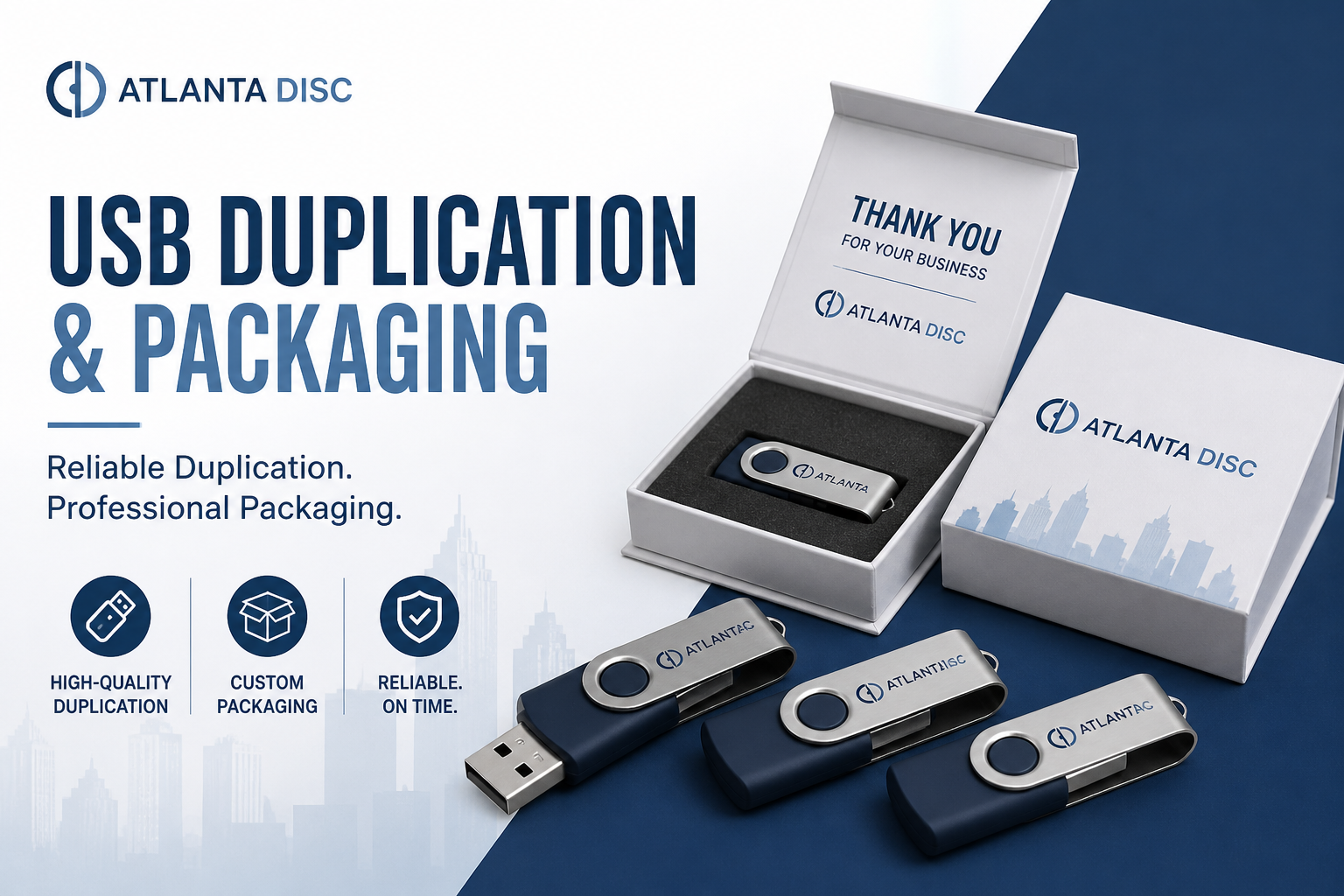
Atlanta Disc handles short-run USB duplication and packaging for indie artists, DJs, and churches. That short-run focus fits this kind of order well, since the best choice for 100 units is often very different from the best choice for a large corporate giveaway.
What usually does not work
Some packaging ideas sound good in a meeting and disappoint the minute the project goes live.
- Oversized premium boxes for low-ticket merch: They add weight, take up table space, and can cut into profit on every sale.
- Generic bags with no printed insert: The release feels unfinished and easy to overlook.
- Rigid cases for mail-heavy campaigns: Postage rises, packing takes longer, and damaged corners become more likely.
- Ultra-minimal packaging for gift or donor items: The presentation can feel too slight for the occasion.
Choose the package that supports the way the USB will be sold, mailed, or handed out. That is usually the decision that saves the most money and still looks professional.
Your Ordering Checklist and Final Considerations
Before you place the order, lock down the decisions that affect production and shipping. Most delays happen because one of these items is still fuzzy when the files go in.
Pre-flight check before you order
- Finalize the content: Make sure the audio, video, PDFs, and folder names are exactly how you want them loaded.
- Choose the packaging based on distribution: Show sales, mail order, giveaways, and ministry handouts all need different priorities.
- Review artwork against the template: Don’t approve a design that only looks right on a general mockup.
- Confirm branding hierarchy: Decide what belongs on the usb itself and what belongs on the outer package.
- Think about fulfillment early: If you’ll ship singles nationwide, packaging weight and thickness matter from day one.
- Match finish to audience: Matte, gloss, cardboard, plastic, and premium boxes all send different signals.
Turnaround is usually affected by complexity more than anything else. A straightforward sleeve or wallet order proceeds more readily than a multi-part premium package with inserts and custom fitments. Quantity matters too, but so does how many moving parts the project includes.
If you’re trying to keep the order efficient, simplify the structure before you simplify the branding. A clean wallet with strong art usually beats a complicated package with compromised design.
The best usb memory stick packaging isn’t the fanciest option on the page. It’s the one that protects the drive, fits your budget, and makes the project feel complete when someone holds it for the first time.
If you’re planning a short-run USB order and want practical help sorting out packaging, artwork, and fulfillment, Atlanta Disc can help you match the format to your release instead of overspending on the wrong presentation.